
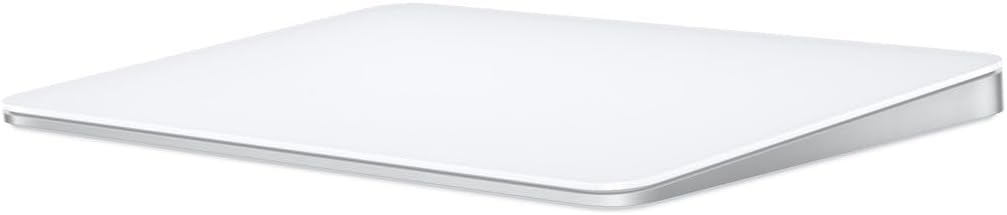
Apple · Trackpad
Apple Magic Trackpad
~C$149
The Apple Magic Trackpad is a wireless multi-touch trackpad with Force Touch technology that provides haptic feedback and pressure-sensitive input. The large glass surface supports all macOS gestures — pinch to zoom, swipe between desktops, Force Click for quick look. Lightning or USB-C charging (depending on model) with up to 2 months of battery life. Pairs instantly with Mac via Bluetooth. The best trackpad for Mac desktop users who prefer trackpad navigation over a mouse.
Read on Celmin Magazine →Pros
- + Large Force Touch surface
- + Seamless macOS gestures
- + USB-C charging
- + Haptic feedback
- + Rechargeable battery
Cons
- - Expensive
- - Mac only (limited Windows support)
- - No customization options
- - Lightning on older models
Key Specs
- Dimensions
- 6.3 x 4.52 x 0.43 inches
- Weight
- 0.51 lbs
- Battery
- 1 month+
- Surface
- Force Touch Multi-Touch
- Dimensions
- 6.3 x 4.52 x 0.43 in
- Connectivity
- Bluetooth, USB-C
Our Verdict
If you use a Mac desktop, the Magic Trackpad is essential. macOS gestures are simply better on a trackpad.
Best For
Mac desktop users who prefer trackpad gestures over a mouse
How It Compares
| Spec | Apple Magic Trackpad | Logitech MX Master 3S | Apple Magic Keyboard with Touch ID |
|---|---|---|---|
| Price | ~C$149 | ~C$99 | ~C$270 |
| Battery | 1 month+ | 70 days | 1 month |
| Surface | Force Touch Multi-Touch | — | — |
| Dimensions | 6.3 x 4.52 x 0.43 in | — | — |
| Connectivity | Bluetooth, USB-C | Bluetooth, USB receiver | — |
| Sensor | — | 8000 DPI | — |
| Weight | — | 141g | — |
| Buttons | — | 7 | — |
| Charging | — | USB-C | — |
| Touch ID | — | — | Yes |
| Compatible | — | — | Mac with Apple Silicon |
| Connection | — | — | Bluetooth + Lightning |
Frequently Asked Questions
Does it work with Windows?
Basic cursor movement works, but macOS-specific gestures are not available on Windows.
trackpadapplemacgestureusb-c


